Save, Tag & Organize Any Link into Traffilio with 1-Click
Never lose a research paper, code snippet, or article again. The official Traffilio extension lets you organize bookmarks into nested folders right from your browser toolbar.
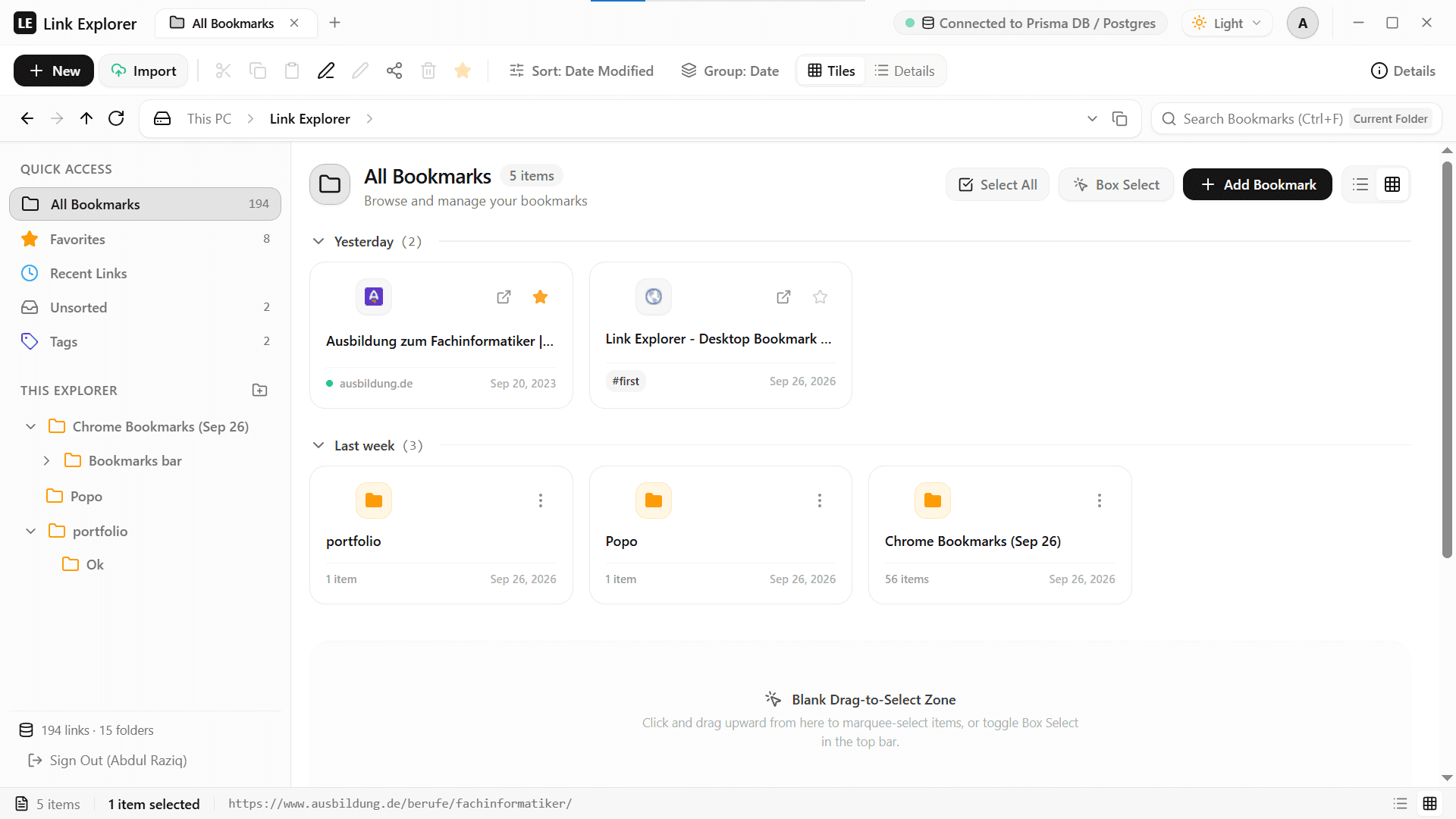
Everything you need, right in your toolbar
Designed to replace chaotic browser bookmark bars with a structured, tag-indexed directory.
1-Click Instant Save
Press your browser bookmark star or click Traffilio in your toolbar to instantly capture page title, URL, and high-res favicon.
Target Folder Picker
Choose exactly where your link belongs. File directly into nested subfolders with real-time directory tree selection.
Smart Tag Indexing
Attach tags on the fly (#research, #dev, #design). Find any bookmark instantly with multi-tag boolean filters.
Real-Time Cloud Sync
Every saved link updates your Traffilio dashboard instantly. Seamless cross-device synchronization on desktop and mobile.
Keyboard Shortcuts
Keep your hands on the keyboard. Use native shortcuts (Ctrl+D / Cmd+D) to save immediately.
Manifest V3 & Private
Built to Google's strictest security standard. No background tracking, zero remote code execution, and end-to-end tenant security.
Get running in 3 simple steps
Pin to Toolbar
Click the puzzle icon in Chrome and pin Traffilio to your toolbar for immediate 1-click access.
Start Bookmarking
Sign in to your Traffilio account. Click the extension on any website to organize links into your folders!
Frequently Asked Questions
How do I install the Traffilio Chrome Extension?
Click 'Add to Chrome' on this page to open our official Chrome Web Store listing. Then click 'Add to Chrome' on Google's page, and pin the extension to your browser toolbar for instant 1-click access.
Is the Chrome Extension free to use?
Yes! The extension is 100% free to install from the Chrome Web Store. It connects seamlessly with both Free Explorer and Pro Traffilio accounts.
How does it sync with my Traffilio workspace?
The extension automatically detects your login session on traffilio.com. When you bookmark a page, it syncs to your cloud workspace in under 10 milliseconds with zero lag.
Can I save to specific nested subfolders?
Yes! Click the extension icon in your Chrome toolbar to view your complete folder tree, pick any target subfolder, and attach smart tags before saving.
Does it work with Microsoft Edge, Brave, and other browsers?
Yes. Because Traffilio is built with modern Manifest V3 standards, it works on any Chromium browser including Chrome, Edge, Brave, Opera, and Vivaldi.
Does Traffilio track my browsing history?
Absolutely not. We only interact with the page when you explicitly click save or press your shortcut. We never collect, track, or sell your browsing history.
Install the Traffilio Extension • 100% Free
Replace chaotic bookmark bars with Windows 11 Fluent speed. Available directly on the Google Chrome Web Store.